# Director Console Overview
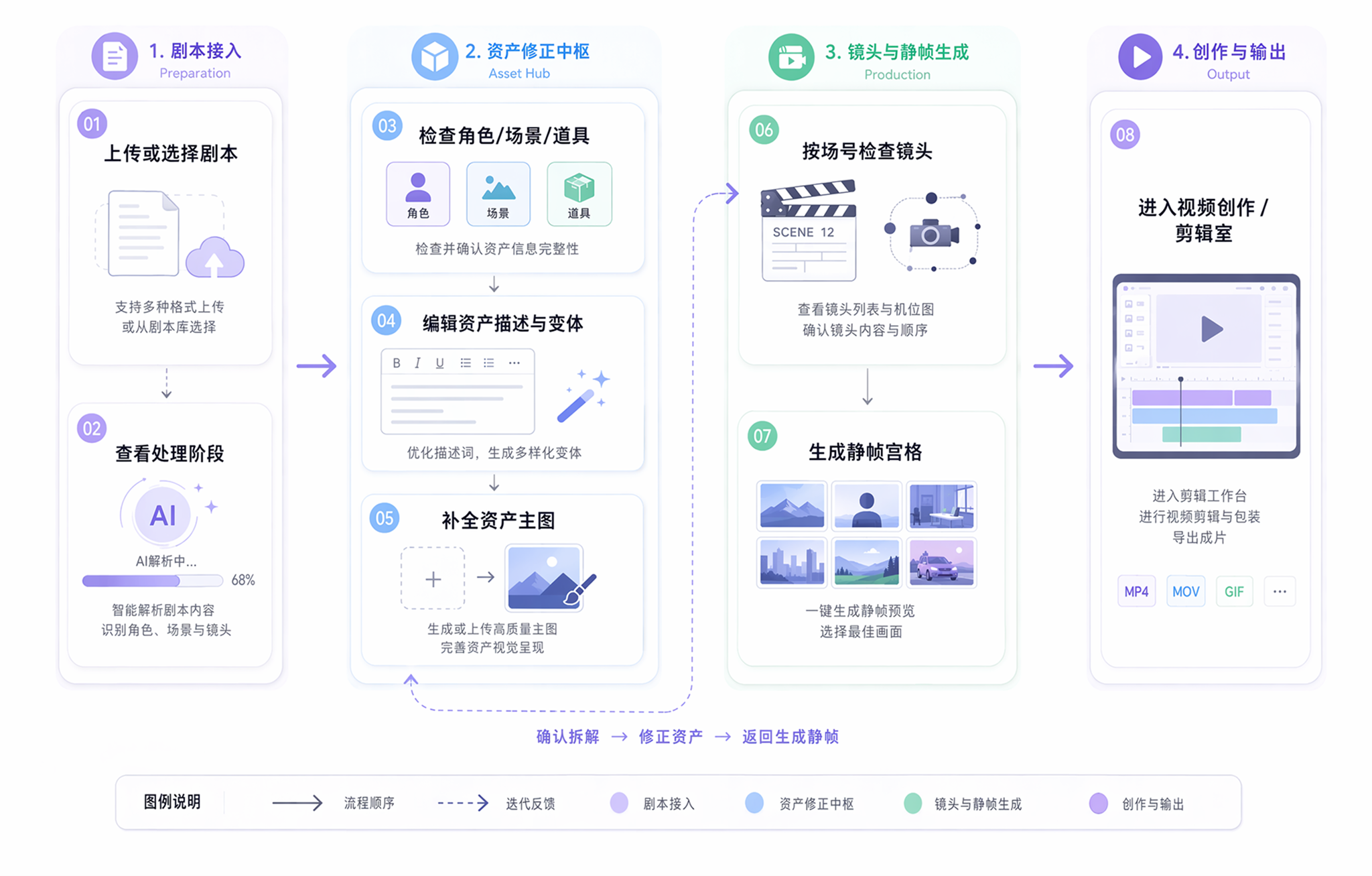
Use the script to drive characters, scenes, props, scene groups, and still-frame generation. This is Bomiio's main Director Console workspace for moving from breakdown to storyboard.
The Director Console sits on the left side of the canvas. It breaks one episode script into editable assets and generatable shot plans. It is not a separate project; it shares the current canvas's content language, model configuration, and material state.
## What you complete here
The usual flow is: confirm the breakdown status in the "Scripts" tab, refine assets in "Characters", "Scenes", and "Props", then return to scene groups and still-frame generation.
## The four main tabs
- [Scripts and Breakdown](/docs/bomitv/director/scripts.md): manage episodes, upload `.txt` files, view breakdown stages, and open single-episode shot details.
- [Asset Management](/docs/bomitv/director/assets.md): view characters, scenes, props, and their variants, then sort and filter them by reference count.
- [Asset Editing](/docs/bomitv/director/asset-editing.md): open the full-screen editor to edit structured descriptions, reference images, image history, and multi-view outputs.
- [Storyboard and Scene Groups](/docs/bomitv/director/storyboard.md): view shots by scene group, drag to reorder, generate still-frame grids, and continue fine-tuning from the shot side.
## How the Director Console relates to the canvas
- Assets, shots, and scene groups all belong to the current canvas context.
- Asset cards and variants can be dragged onto the canvas to continue creation.
- When you edit an asset inside a scene group, you can sync the current change back to that scene-group reference.
- "Video creation" syncs the current script into the timeline data required by the editor.
## Read-only locks during processing
When script breakdown is running, the Director Console locks some editing actions:
- Asset editing lock: while the script is still being broken down or bound, characters, scenes, and props are temporarily read-only.
- Continuity lock: when the current episode is still supplying cues for later steps, operations involving scene-group order and shot order are restricted.
These limits prevent manual edits from overwriting the backend breakdown result, and vice versa. The page tells you when editing can continue.
## When to open Configuration
Before using the Director Console in a canvas for the first time, complete [Director Console Settings](/docs/bomitv/director/configuration.md). If the script list page detects missing configuration, clicking "Add Script" will send you there first.
## Continue reading
- [Director Console Settings](/docs/bomitv/director/configuration.md)
- [Scripts and Breakdown](/docs/bomitv/director/scripts.md)
- [Asset Management](/docs/bomitv/director/assets.md)
- [Storyboard and Scene Groups](/docs/bomitv/director/storyboard.md)