# Media Panel
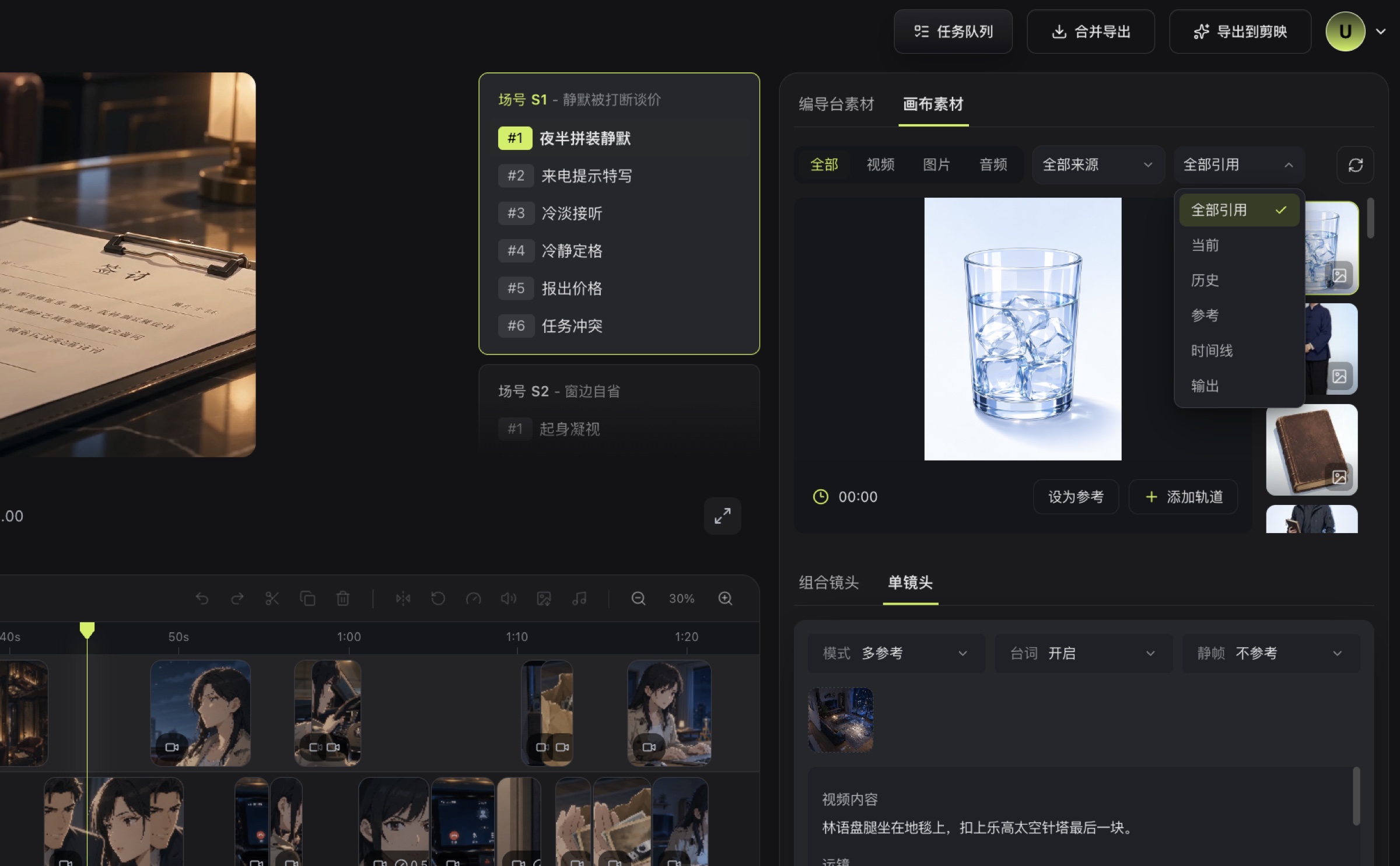
Browse available images, videos, and audio from the Director Console, storyboards, and Infinite Canvas for the current shot.
The Media panel brings results from across the creation workflow into the Editor. Select a script, scene group, or shot in the shot list before opening a category to find relevant media more quickly.
## Media Sources
- **Director Console Media**: Switch among Video, Image, and Storyboard to view results for the current shot or scene group.
- **Canvas Media**: Browse images, videos, and audio generated or uploaded on the Infinite Canvas, then filter further by source and use.
The categories and content shown in the interface depend on the results currently available for the selected shot.
## Add Media
1. Select the target shot on the left.
2. Find an image, video, or audio item in the Media panel.
3. Preview it and confirm that it is the required version.
4. Add it to the timeline, then adjust its position and clip properties.
> After switching to Canvas Media, filter by video, image, or audio type and by source or reference scope. Select the required item, then choose Set as Reference or Add Track.
## If You Cannot Find Media
- Confirm that the correct script, scene group, and shot are selected.
- Confirm that the related generation task has completed rather than remaining queued or running.
- Canvas media must finish uploading or generating before it appears in the Editor.
- If necessary, open the [Task Queue](/docs/bomitv/reference/tasks.md) and check for failed items.
## Related Pages
- [Video Generation](/docs/bomitv/editor/video-generation.md)
- [Timeline Operations](/docs/bomitv/editor/timeline.md)
- [Uploads and Media History](/docs/bomitv/canvas/uploads-history.md)