# Editor Overview
Bring together media from the Director Console, storyboards, and Infinite Canvas to assemble, preview, and export a short-drama episode on the timeline.
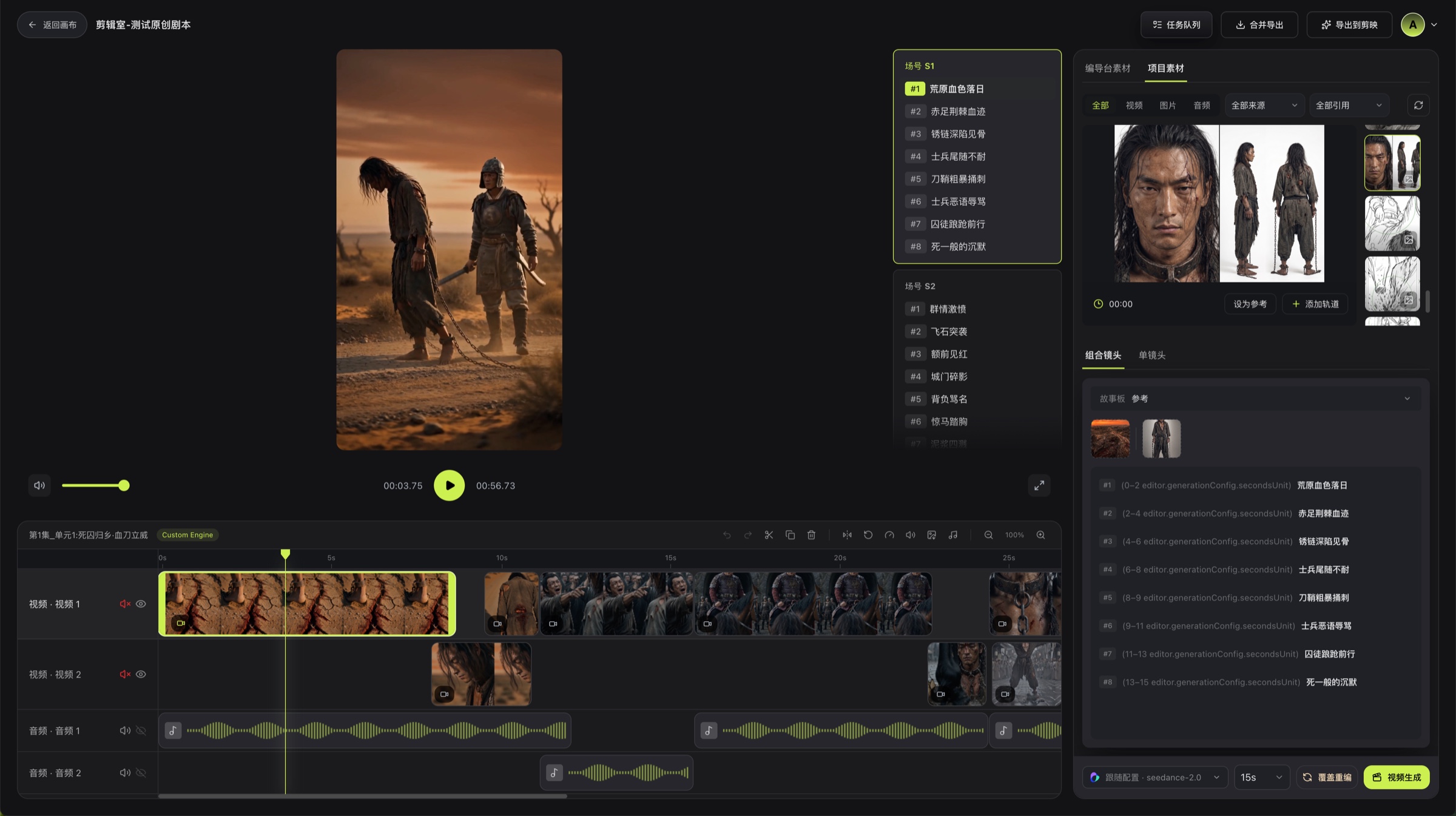
The Editor is Bomiio's final-video workspace. Use the left panel to select scripts, scene groups, and shots; preview the current content in the center; browse media that can be added to the timeline in the right panel; and arrange visual and audio clips on the timeline at the bottom.
```mermaid actions={false}
flowchart LR
A["Director Console videos / images / storyboards"] --> D["Media panel"]
B["Infinite Canvas media"] --> D
D --> E["Add to timeline"]
E --> F["Split and adjust clips"]
F --> G["Full preview"]
G --> H["Merge & Export"]
```
## Main Areas
- **Shot list**: Locate content by script, scene group, and shot.
- **Player**: Preview the timeline and control the playhead position.
- **Media panel**: Switch between Director Console Media and Canvas Media. Within Director Console Media, filter by video, image, or storyboard.
- **Timeline**: Arrange video, image, and audio clips and adjust clip properties.
- **Top actions**: Open the Task Queue and start Merge & Export.
## Recommended Order
1. Select the episode and target shot on the left.
2. Use the [Media Panel](/docs/bomitv/editor/materials.md) to decide which results should be included in the final video.
3. If dynamic media is missing, complete [Video Generation](/docs/bomitv/editor/video-generation.md) first.
4. Adjust clip order, duration, and audio on the [Timeline](/docs/bomitv/editor/timeline.md).
5. After a full preview, [merge and export](/docs/bomitv/editor/export.md).
## Tips
- Finalize shot order before adjusting speed and audio to avoid unnecessary rework.
- Use still frames as placeholders on the timeline, then replace them after video generation completes.
- After each local change, preview from the neighboring shot. Finish with one complete preview from the beginning.
## Related Pages
- [Create Your First Short-Drama Episode](/docs/bomitv/getting-started/first-episode.md)
- [Storyboards and Scene Groups](/docs/bomitv/director/storyboard.md)
- [Task Queue](/docs/bomitv/reference/tasks.md)