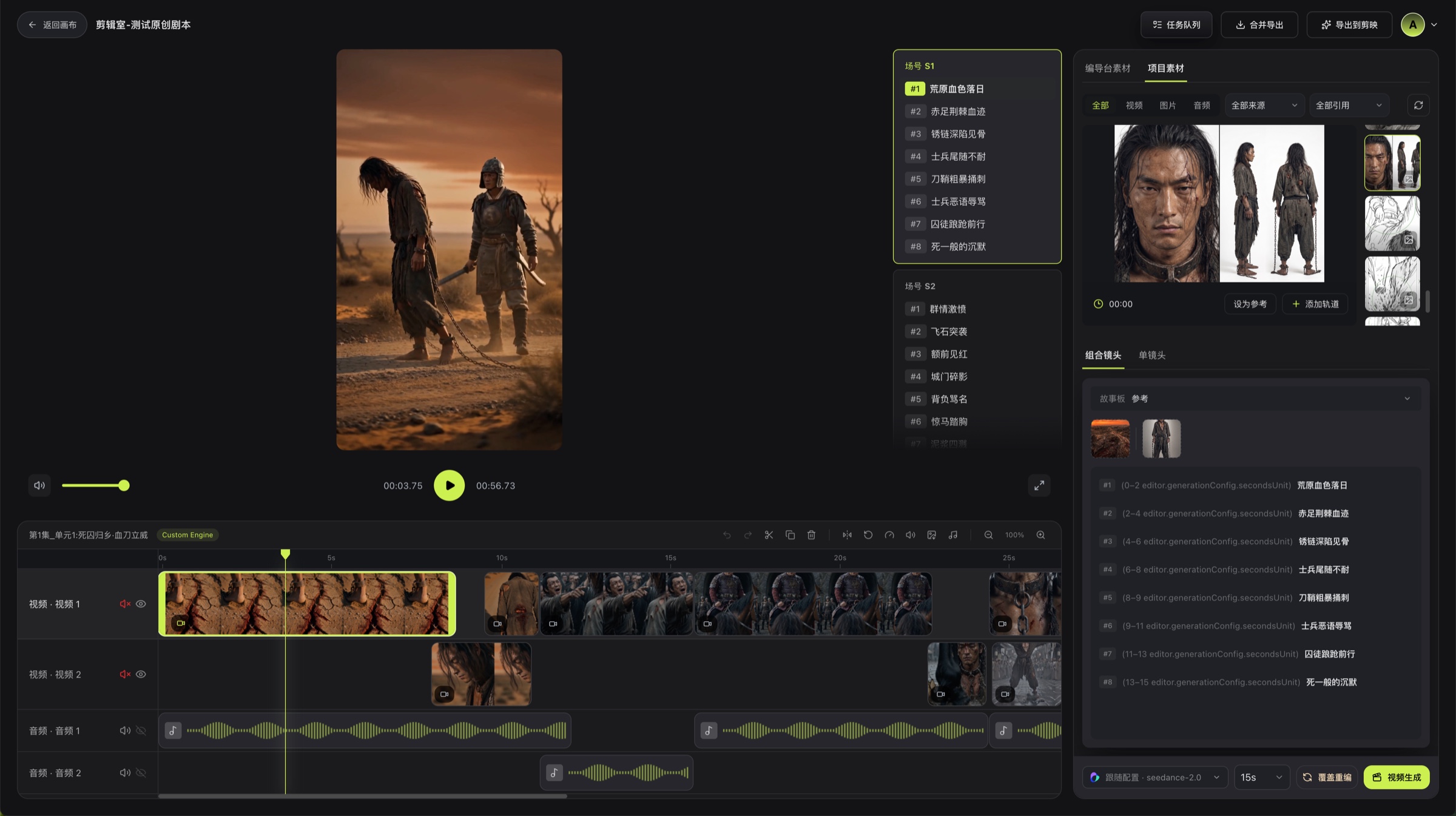
# Timeline Operations
Arrange and trim visual, video, and audio clips to finalize an episode's pacing and sound.
After adding media to the timeline, select a clip or track to make further adjustments.
## Common Clip Operations
| Operation | Purpose |
| --- | --- |
| Split | Divide a clip into two clips at the current playhead position |
| Duplicate | Create a copy for reuse or comparison |
| Delete | Remove the selected clip from the timeline |
| Mirror | Flip the image horizontally |
| Reverse Preview | Preview reverse playback |
| Speed | Change the playback speed of a video clip |
| Volume | Adjust the volume of a clip that contains audio |
| Extract Frame | Capture a still frame at the current video position |
| Detach Audio | Separate a video's original sound into an independent audio clip |
| Restore Audio | Restore audio that was previously detached from a video |
Available buttons vary with the selected clip type.
## Recommended Editing Order
1. Arrange all shots in narrative order.
2. Remove obvious gaps, overlaps, and unnecessary clips.
3. Use Split and Speed to refine pacing.
4. Adjust volume, detached audio, and mute states last.
5. Play the entire episode from the beginning.
## Preview Checks
- Does the image switch correctly as the playhead crosses a shot boundary?
- Are still-image display times and video durations appropriate?
- Is any visual track unintentionally hidden or any audio track unintentionally muted?
- Are a video's original audio and a detached audio clip playing twice?
## Related Pages
- [Media Panel](/docs/bomitv/editor/materials.md)
- [Preview & Export](/docs/bomitv/editor/export.md)