# Main Interface
Learn where the project, canvas, Director Console, Infinite Canvas, and common entry points are located.
## Projects and canvases
Bomiio shows canvases within the current AstraFlow project scope. The project selector at the top switches the active project; after a switch, the canvas and related resources follow the project context.
On the canvas list page, you can create work from a script, create a blank canvas, and manage existing canvases.
## Infinite Canvas area
After you enter a canvas, the central area is the Infinite Canvas. You can drag, zoom, box-select nodes, and organize asset relationships on the canvas.
The main areas are:
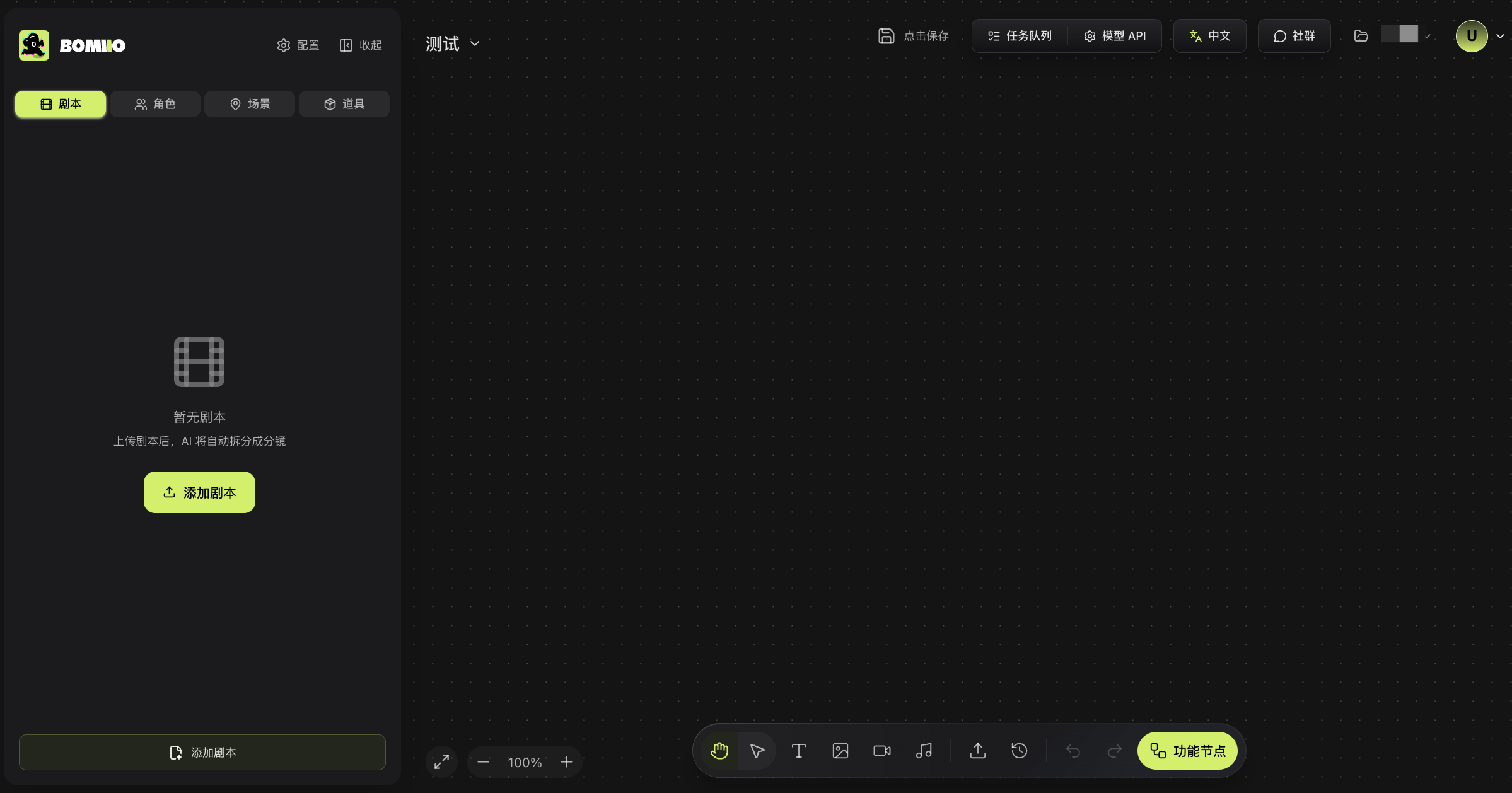
- **Left Director Console panel**: scripts, characters, scenes, and props.
- **Top canvas selector**: switch between existing canvases.
- **Top-right action area**: save status, task queue, model API, interface language, community, project, and account.
- **Bottom toolbar**: hand/select mode, content nodes, upload, history, undo, and redo.
- **Bottom-left view controls**: zoom out, zoom in, and fit to view.
> The image above shows the left Director Console panel, central Infinite Canvas, top action area, bottom toolbar, and bottom-left view controls.
## Director Console
The Director Console has four main tabs:
- **Script**: view episode processing status and open shot details.
- **Characters**: view characters and character variants.
- **Scenes**: view scenes and different scene states.
- **Props**: view props and state variants.
The Director Console can be collapsed to free more space for the Infinite Canvas. While a script is being broken down, some asset and continuity-related actions are temporarily locked.
## Editor
Open the Editor from the current episode's video creation entry. The Editor mainly includes:
- Shot and scene-group lists.
- Director Console media and canvas media.
- Video preview area.
- Video generation settings.
- Timeline tracks and editing tools.
- Task queue and merge export.
## Saving and tasks
The canvas header shows save status. After you run generation tasks, use the task queue to check queued, running, completed, or failed states. Before leaving the page, make sure the canvas is saved and check whether any tasks are still running.
## Interface language
The language entry in the top-right only changes the interface text; it does not change the content language of canvases that have already been created. See [Interface Language and Content Language](/docs/bomitv/reference/languages.md) for details.
## Next steps
- [Director Console Overview](/docs/bomitv/director/overview.md)
- [Infinite Canvas Overview](/docs/bomitv/canvas/overview.md)
- [Editor Overview](/docs/bomitv/editor/overview.md)