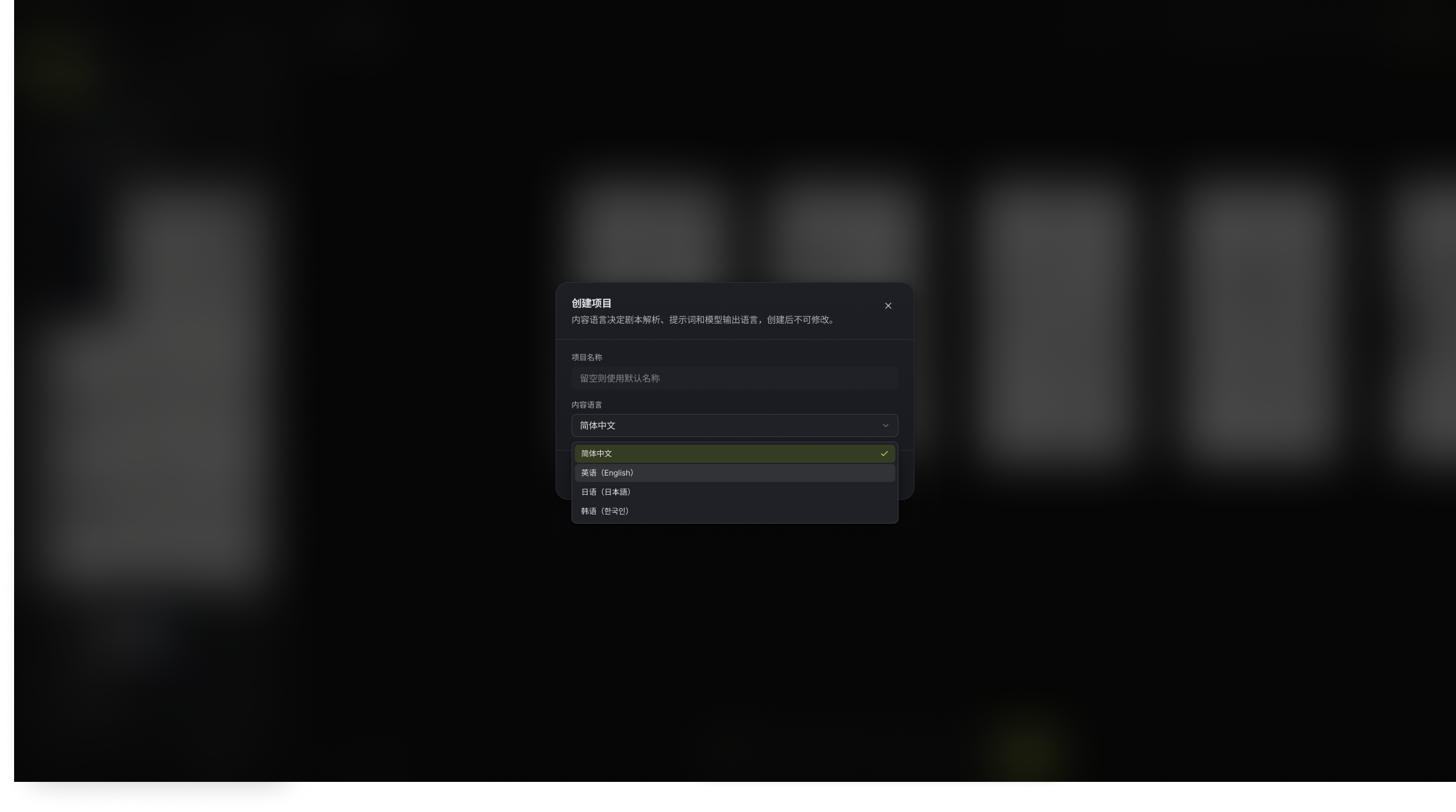
# Interface and Content Languages
Distinguish the interface display language from the creation content language so you do not choose an irreversible setting incorrectly when creating a canvas.
Bomiio uses two language concepts with different scopes.
| Setting | Scope | Can It Be Changed? |
| --- | --- | --- |
| Interface language | Menus, buttons, notices, and system text | Yes, from the language selector |
| Content language | Script parsing, prompt loading, and creative output | No, after the canvas is created |
## Select a Content Language
When creating a canvas or importing an episode script, choose the content language for the desired creative output rather than looking only at the language currently used in the script file. The content language cannot be changed after the canvas is created.
If you select the wrong content language, create a new canvas with the correct language and import the script again. Changing the interface language does not correct the content language.
## What the Content Language Affects
- Script breakdown and structured processing.
- Default prompts in the Director Console.
- Language context used during generation.
- Subsequent creative output associated with the canvas.
## Related Pages
- [Create a Canvas](/docs/bomitv/getting-started/create-canvas.md)
- [Styles and Prompts](/docs/bomitv/reference/styles-prompts.md)