# Styles and Prompts
Use canvas-level style templates and prompt presets to progressively control the creative direction of assets and storyboards.
Style templates define the overall visual direction, while prompt presets adjust instructions for specific processing stages. On your first use, keep the defaults until you complete the full workflow, then make targeted changes to specific problems.
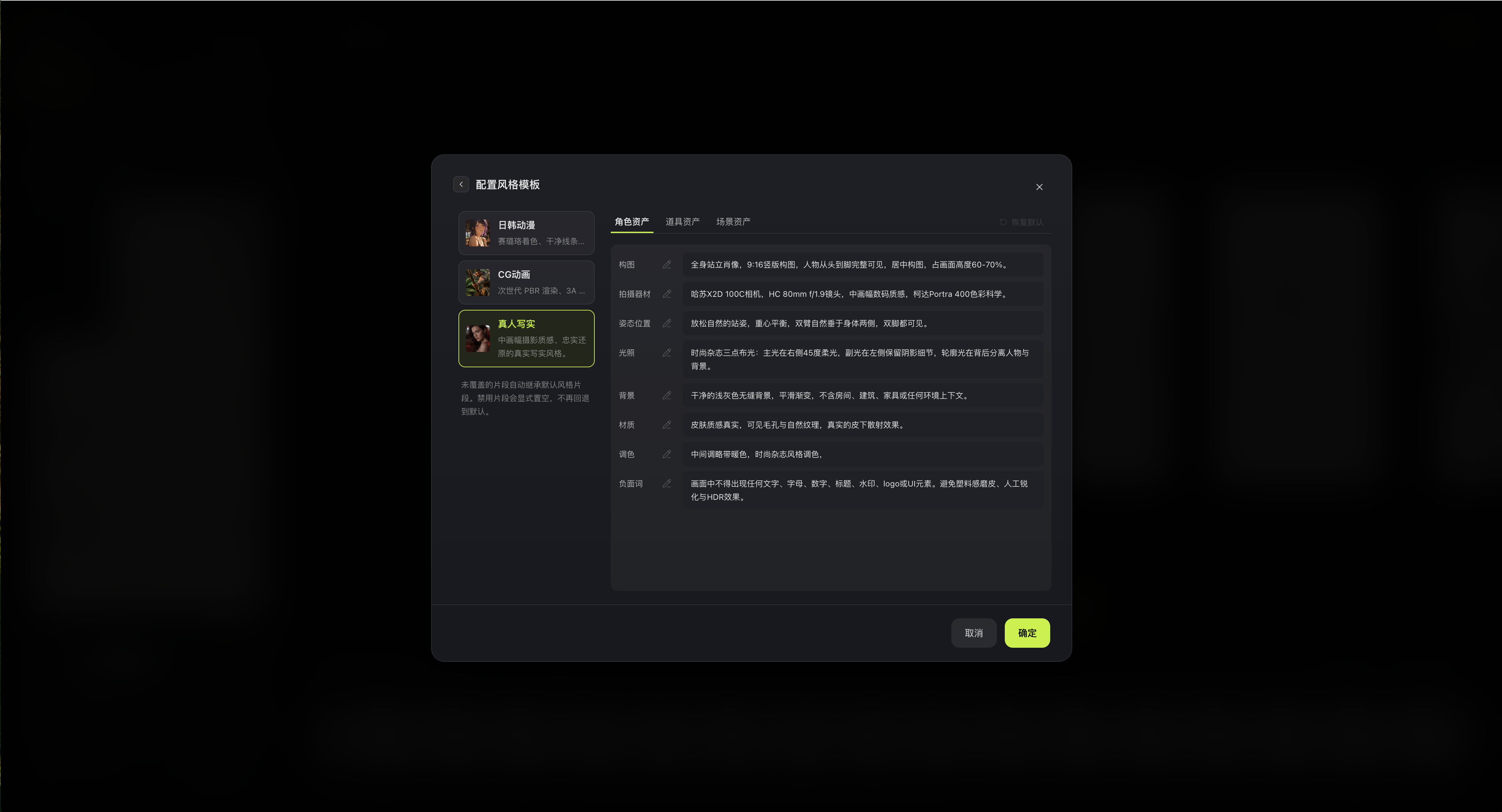
## Style Templates
Current settings provide built-in styles and allow separate style-fragment overrides for characters, props, and scenes. Editable fragments include composition, characteristics, pose and position, lighting, background, material, color grading, and negative prompts. Any fragment not overridden inherits the default.
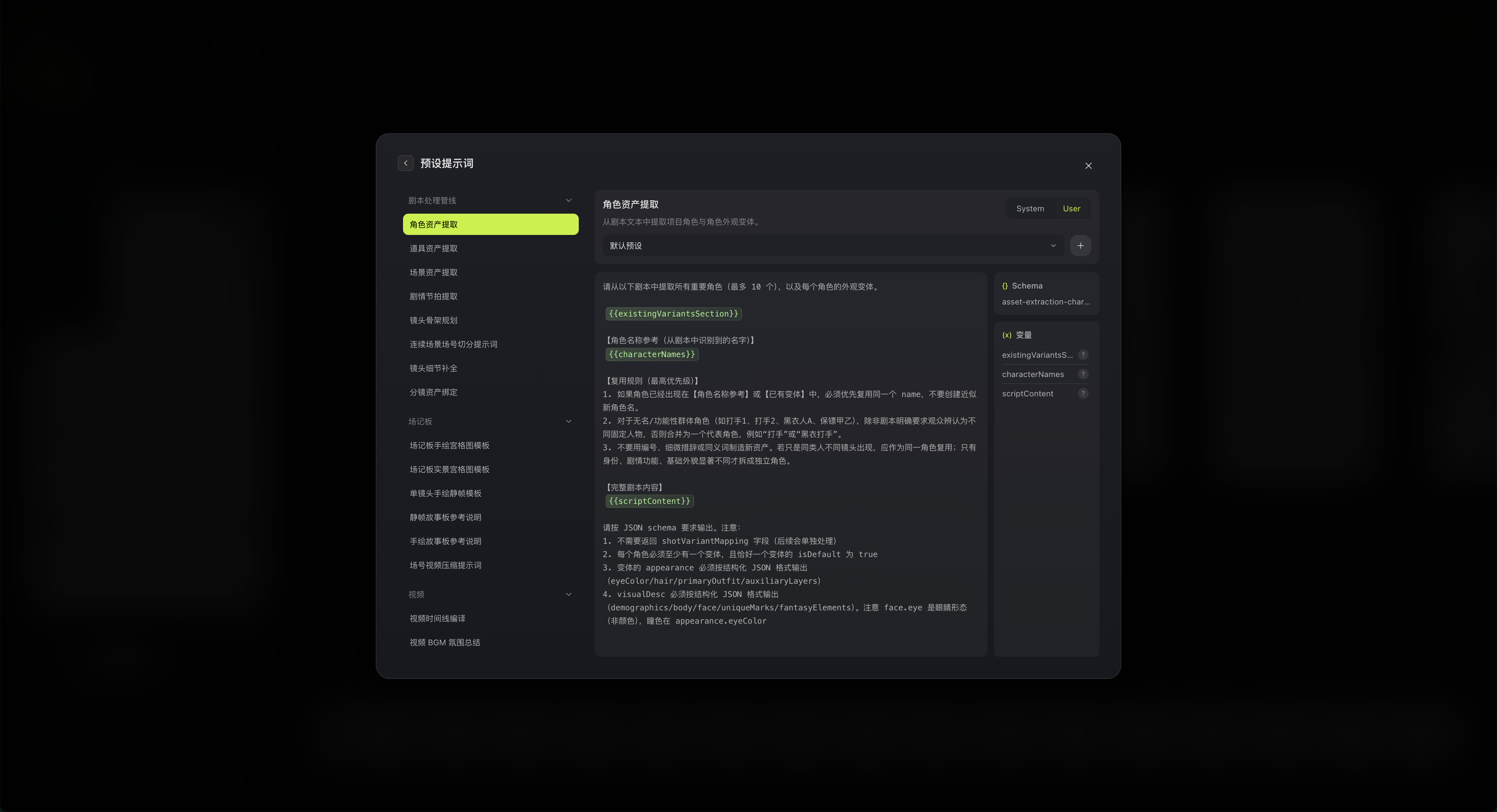
## Prompt Presets
The prompt panel groups prompts by function. Switch between `System` and `User` types, inspect related variables and schema fields, and create, save, delete, or validate custom presets.
## Adjustment Strategy
1. Identify whether the problem concerns asset appearance, shot composition, or generated action.
2. Change only one major factor at a time.
3. Validate the change on one representative asset or shot.
4. Batch-generate only after confirming the direction.
5. If the result gets worse, restore the default fragment or switch back to the original preset.
Do not change multiple style fragments and prompts simultaneously without a comparison result; otherwise, it becomes difficult to identify which change actually helped.
## Related Pages
- [Director Console Settings](/docs/bomitv/director/configuration.md)
- [Batch Generation](/docs/bomitv/director/batch-generation.md)